Layers (VR training on Molca Core)
Dependency direction: your VR training content calls into the VR SDK; the VR SDK sits on Molca Core; both run on Unity + XR. For DT, think Core (if linked) +_MolcaDT without the VR/XR block—see DT overview.
Glossary (VR training)
| Term | Where it lives |
|---|---|
| Scenario | BaseScenarioData → SimulationScenarioData / TourScenarioData in Scenario/Data/ |
| Simulation | Activities + steps; optional time limit on SimulationScenarioData |
| Tour | Areas (often additive scenes), spots (TourSpotController), informational materials (not Unity materials) |
| Activity | ScenarioActivity — SequenceController + root Step list; ties to scoring/session |
| Step | Molca.Sequence.Step — may nest children (ParallelStep, etc.); completes when self + children complete |
| Step auxiliary | StepAuxiliary list on Step (e.g. scoring, haptics, controller hints) |
| Mode driver | IScenarioModeDriver — SimulationScenarioModeDriver vs TourScenarioModeDriver |
Scenario state (ScenarioManager)
ScenarioState: Inactive, Active, Paused, Completed, Terminated, TimedOut.
FailScenario() sets Terminated. API comments note that success and failure can both end as a finished session from the backend’s perspective; pass/fail may depend on posted scores. Inspect CompleteScenario, FailScenario, and TimeoutScenario in Scenario/ScenarioManager.cs when customizing outcomes.
Typical VR app flow (molca-sdk-vr)
- Preload —
VRPreloadCheckruns child components implementingIPreloadCheck(_MolcaSDK/Code/.../Preload/). - Auth —
ScenarioSessionManager.VisitorLoginAsync(6-digit OTP) orMemberLoginAsync(email, password). Avoid obsoleteMemberLoginAsyncUsingClerk. - Home —
HomeUIManager+ScenarioDataConfig(and fetched org content when connected). - Scenario —
ScenarioManager+ mode driver; simulation uses activities/sequences; tour usesTourSubsystem. - End — completion / timeout / fail UI + session status and scores via
ScenarioNetworkConfig.
Scenario lifecycle states
ScenarioState on ScenarioManager (simplified — see source for guards):
Pause UI: PauseScenario() / ResumeScenario() only show or hide the pause modal. CurrentState stays Active; sequences and timers keep running (see API comments in ScenarioManager.cs). The enum includes Paused, but that path is not used by the pause modal flow.
Connected session (high level)
Entry-point cheat sheet
| Concern | Type |
|---|---|
| Bootstrap | RuntimeManager (_Core/Runtime/RuntimeManager.cs) |
| Project config asset | MolcaProjectSettings |
| Module bag | GlobalSettings + SettingModule (e.g. ScenarioDataConfig) |
| Scenario orchestration | ScenarioManager, ScenarioActivity |
| Backend VR HTTP | ScenarioSessionManager, ScenarioNetworkConfig |
Screenshots
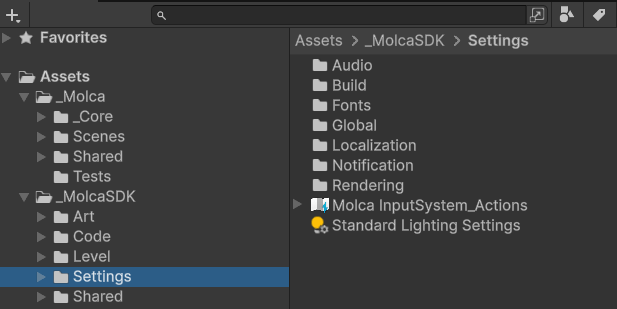
Placeholder images for the Unity Editor live on each feature page. See Adding Unity screenshots for Mintlify dashboard vs repo file workflow.Unity Editor (diagram / overview)
Optional: one high-level diagram or stacked windows showing Project + Hierarchy + Inspector for the SDK.