
Assets/_MolcaSDK/Code/Scripts/Modal/
Includes TextInputModal, SelectionModal, ProgressModal, NumberInputKeyboard, date picker helpers, MediaConfirmationModal, NotificationModal, NotificationHelper.
Use for UX outside ModalManager defaults or for world-space canvas flows.
When to use
Use shared modals when the built-in ModalManager message/loading/confirmation set is not enough and you need product-specific dialog content or flow control.Inspector setup
- Ensure ModalManager exists on the RuntimeManager prefab.
- Configure modal prefabs and helper references (
NotificationHelper, input keyboard, etc.) in your scene/prefab. - If modal text is localized, wire Localization components/entries.
Code
NotificationHelper is a common entry point for runtime notifications:
Troubleshooting
- Modal does not appear: confirm
ModalManager.Instanceis available after runtime initialization. - Only one notification visible:
NotificationHelpercloses the previous active modal before opening a new one. - Input modal closes instantly: check auto-close settings and per-modal callback wiring.
Related
Unity Editor
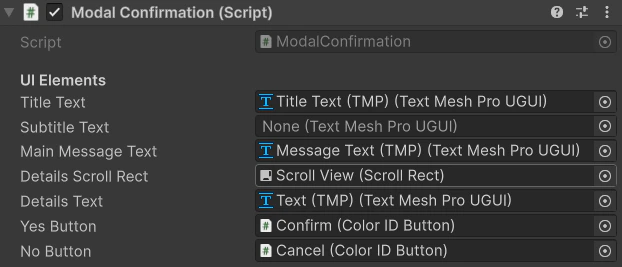
Shared modal prefab / component