> ## Documentation Index
> Fetch the complete documentation index at: https://docs-unity.molca.id/llms.txt
> Use this file to discover all available pages before exploring further.
# Utilities
> Input, QR, proximity, transforms, toggles, and small helpers.
**Folder:** `Assets/_MolcaSDK/Code/Scripts/Utilities/`
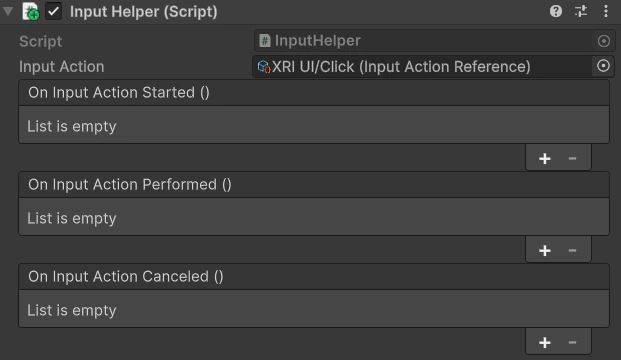
Examples: **InputHelper**, **QRScanner**, **ProximityTrigger**, **TransformHelper**, **RectTransformHelper**, **DelayedEvent**, various toggles and counters.
## Boundary
Keep utilities **XR-agnostic** when possible; VR-specific logic belongs under `_VR/Scripts`.
## Code
Most helpers are **static** methods or small **`MonoBehaviour`** components you drop on a GameObject and configure in the Inspector. Example pattern:
```csharp theme={null}
using MolcaSDK.Utilities;
using UnityEngine;
public class DoorSensor : MonoBehaviour
{
[SerializeField] private ProximityTrigger proximity;
private void OnEnable() => proximity.onEnterProximity.AddListener(OnUserNear);
private void OnDisable() => proximity.onEnterProximity.RemoveListener(OnUserNear);
private void OnUserNear(GameObject _)
{
// Open door, play audio, etc.
}
}
```
Open the concrete utility script (e.g. **`ProximityTrigger`**, **`QRScanner`**) for real events and inspector fields.
## Troubleshooting
* **ProximityTrigger never fires** — Layer / **`Physics`** matrix: verify colliders on target and **`Trigger`** flag; distance-based checks need **`Update`** or rigidbody motion as designed in script.
* **QRScanner no result** — Camera permission on device, sufficient light, and **WebCamTexture** availability in Editor (often limited); read console for platform-specific errors.
* **TransformHelper / RectTransformHelper odd values** — Parent **RectTransform** anchors and canvas scale affect “local” helpers; reset anchors before calling alignment helpers.
* **DelayedEvent double fire** — Re-enable / duplicate **`MonoBehaviour`** instances can schedule twice; cancel or guard with a **`bool`** in **`OnDisable`**.
* **InputHelper (if present) not reading** — New **Input System** vs legacy: ensure the active input configuration matches what the helper expects.
## Related
* [VR player manager](/vr/vr-player-manager) — when utilities must align with XR rig transforms
## Unity Editor