> ## Documentation Index
> Fetch the complete documentation index at: https://docs-unity.molca.id/llms.txt
> Use this file to discover all available pages before exploring further.
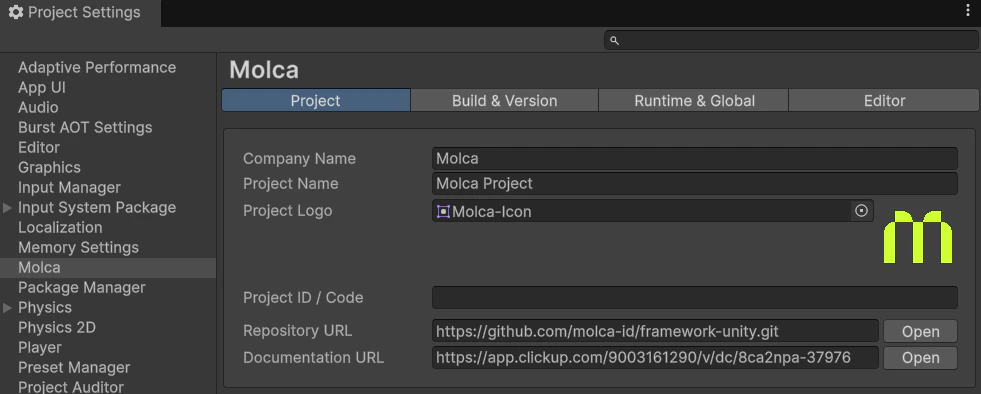
# Molca Project Settings
> Root ScriptableObject that points at the RuntimeManager prefab and GlobalSettings.
**Asset path (default):** `Packages/com.molca.core/Runtime/Settings/MolcaProjectSettings.asset`\
**Script:** `Packages/com.molca.core/Runtime/Settings/MolcaProjectSettings.cs`
**Applies to:** any Unity project using **Molca Core** (`Packages/com.molca.core/`) — VR, DT, or other Molca templates.
## Role
* Selects which **RuntimeManager prefab** is instantiated at startup (`RuntimeInitializeOnLoadMethod` → load settings → instantiate → `DontDestroyOnLoad`).
* References **`GlobalSettings`** (the bag of `SettingModule` assets).
Editor loads this asset from a fixed path; some player builds resolve it via Addressables key `MolcaProjectSettings` (see script for platform branches).
## Prefab choice
The assigned prefab determines which **`RuntimeSubsystem`** components exist (session manager, tour, fade, etc.). See [Runtime subsystem](/core/runtime-subsystem) and [RuntimeManager](/core/runtime-manager).
## Unity Editor