> ## Documentation Index
> Fetch the complete documentation index at: https://docs-unity.molca.id/llms.txt
> Use this file to discover all available pages before exploring further.
# Architecture
> How Molca Core sits under Unity and how VR, Digital Twin, and Shared modules relate — product-neutral.
This page is **product-neutral**: it describes **Molca Core** and where **VR**, **Digital Twin**, and **Shared** code sit relative to each other and Unity. It does not assume you are building a VR training app.
| If you are building… | Go to |
| ------------------------------------------ | ----------------------------------------------------------------------------------------------------------------------------- |
| **VR training** (scenarios, XR, tour) | [VR SDK overview](/vr/sdk-overview) · [VR architecture](/vr/architecture) · [VR content hierarchy](/vr/sdk-content-hierarchy) |
| **Digital Twin** (POI, panels, `_MolcaDT`) | [DT architecture](/dt/architecture) · [DT overview](/dt/overview) |
| **Bootstrap & settings** (any product) | [Runtime and settings](/overview/runtime-and-settings) |
## Layers (stack)
Read **top → bottom** as “depends on the row below”. Your project sits on optional product packages, all on **Molca Core**, all on **Unity**.
| Layer | What lives here |
| ----------------------------------------------------- | ----------------------------------------------------------------------------------------------------------------------------------- |
| **Your project** | Scenes, authored assets, your gameplay/integration code. |
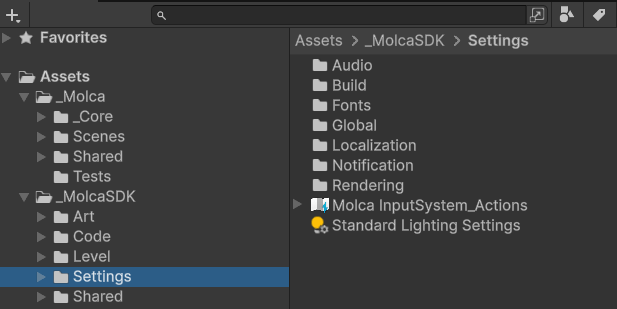
| **Product SDK** (use the folders your template ships) | **VR** — `Assets/_MolcaSDK/_VR` · **DT** — `Assets/_MolcaDT` · **Shared** — `Assets/_MolcaSDK/Code` |
| **Molca Core** | `Packages/com.molca.core/` — RuntimeManager, DI, events, references, sequences, HTTP, modals, **`SettingModule`** / GlobalSettings. |
| **Unity** | Player loop, rendering, XR, UI, networking stacks. |
You may use **Core only**, or Core plus any combination of VR / DT / Shared — see [Platforms](/overview/platforms).
## Core building blocks (glossary)
These types/concepts are **shared** wherever Core is referenced:
| Term | Role |
| ------------------------ | -------------------------------------------------------------------------------------------------------------------------------------------- |
| **MolcaProjectSettings** | Root ScriptableObject: **RuntimeManager prefab** + **GlobalSettings** ([project settings](/setup/molca-project-settings)). |
| **RuntimeManager** | Scene-persistent host for **subsystems** and service location ([RuntimeManager](/core/runtime-manager)). |
| **RuntimeSubsystem** | `MonoBehaviour` registered with RuntimeManager (`TourSubsystem`, session, etc., depending on prefab) ([subsystem](/core/runtime-subsystem)). |
| **GlobalSettings** | Bag of **`SettingModule`** assets (modular config) ([Global settings](/setup/global-settings)). |
| **EventDispatcher** | Typed pub/sub for application events ([events](/core/event-dispatcher)). |
| **Reference system** | Stable ids for telemetry / linking ([references](/core/reference-system)). |
| **SequenceController** | Runs a tree of **Steps** ([sequences](/core/sequence-controller)). |
| **Step** | One node in a sequence; may nest children; drives completion rules ([Step](/core/step)). |
| **HttpClient** / data | Config-driven HTTP and caching patterns ([HTTP client](/core/http-client)). |
VR adds **scenario**, **session**, and **XR** concepts on top of Core; DT adds **twin managers**, **POI**, and **panel** flows — see the product architecture pages above.
## Where to read next
| Goal | Page |
| ------------------------------------------- | ---------------------------------------------------------------------- |
| Choose which SDK folder applies | [Platforms](/overview/platforms) |
| Startup chain (settings → prefab → modules) | [Runtime and settings](/overview/runtime-and-settings) |
| VR scenarios, sessions, tour, glossary | [VR architecture](/vr/architecture) |
| DT folders and twin domain | [DT architecture](/dt/architecture) |
| Compatibility / validation | [Compatibility and validation](/overview/compatibility-and-validation) |
## Unity Editor